Video Summary
Are Your Lead Magnets Landing in Spam? Here's Why!
Hey Genius Junkies! You've poured your heart and soul into creating an amazing lead magnet – an irresistible freebie designed to attract your ideal audience, grow your email list, and kickstart a valuable relationship. Whether it's an e-book, a checklist, a template, or an exclusive video, your lead magnet is a powerful tool for growth. But what if all that effort is going to waste because your carefully crafted welcome email, with its shiny new lead magnet, is consistently landing in the spam folder?
It's a frustrating scenario, and it's far more common than you might think. The culprit? A seemingly innocent act that's actually an email marketing no-no: attaching your lead magnet directly to your emails.
The Critical Rule: Never Attach Your Lead Magnet
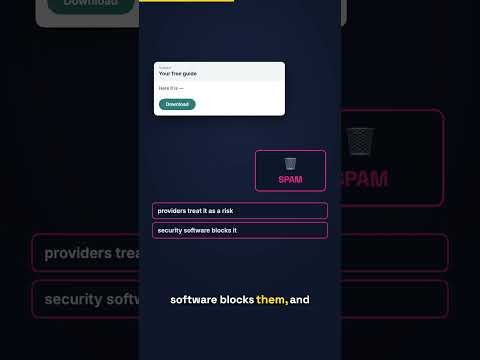
This isn't just a suggestion; it's a foundational rule for successful email marketing. The short clip we're expanding on today highlights a crucial point: attachments are one of the most reliable ways to get flagged by spam filters. And trust us, you don't want to be on a spam filter's naughty list!
Why Attachments Are Email's Enemy (Spam Filters & Deliverability)
Spam filters are sophisticated algorithms designed to protect inboxes from unwanted, malicious, or bulk junk mail. While your lead magnet is none of these things, attachments, especially in bulk email, are a massive red flag. Here's why:
- Security Risk: Attachments can carry viruses, malware, or phishing attempts. Spam filters are highly suspicious of them to protect users.
- File Size: Large attachments can slow down email delivery and consume server resources, which email providers dislike.
- Sender Reputation: Consistently sending emails with attachments, particularly to new subscribers, can negatively impact your sender reputation. A poor sender reputation means future emails are more likely to land in spam, even if they don't have attachments.
Even major email service providers (ESPs) like Mailchimp explicitly warn against attachments. Their own documentation states that attachments can "slow or stop bulk delivery." If the experts are saying it, we should definitely listen!
The Simple Solution: Link, Don't Attach
So, if attaching is out, what's the best way to deliver your precious lead magnet? The answer is simple: link to it. Instead of embedding the file, host it somewhere online and provide a clickable link in your email. This method bypasses the spam filter's attachment paranoia and ensures your email has a much higher chance of reaching the inbox.
Best Practices for Delivering Your Lead Magnet
Now that we know to link, let's talk about the best places to host your lead magnet:
- Cloud Storage: Services like Google Drive, Dropbox, or OneDrive are excellent, free, and easy options. Simply upload your file, generate a shareable link, and paste it into your email. Just make sure the sharing settings allow anyone with the link to view or download.
- Dedicated Landing Page: This is often the most professional and effective method. Create a simple landing page on your website or using a dedicated tool (like Leadpages or Unbounce) where subscribers can click a button to download their lead magnet. This also allows you to track conversions and engagement more accurately.
- Your Email Service Provider's (ESP) File Hosting: Many ESPs (like ConvertKit or ActiveCampaign) offer file hosting capabilities right within their platform. This is a seamless way to integrate your lead magnet delivery into your email automation workflows.
Beyond Deliverability: Tracking & Professionalism
Linking to your lead magnet offers benefits beyond just avoiding spam filters:
- Better Tracking: When you link to a page or a hosted file, you can often track how many people clicked the link and downloaded the file, giving you valuable insights into your audience's engagement.
- Professionalism: A clean email with a clear call to action and a link looks far more professional than an email weighed down by an attachment.
- Flexibility: If you ever need to update your lead magnet, you can simply replace the file at the hosted link without having to resend emails.
So, take a moment to review your lead magnet delivery strategy. If you're still attaching, it's time for a quick, impactful change. Your email deliverability (and your subscribers' inboxes!) will thank you for it!
Key Takeaways
- Never attach your lead magnet directly to emails, as it significantly increases the chance of landing in spam.
- Attachments are red flags for spam filters due to security risks, file size, and negative impact on sender reputation.
- Always deliver your lead magnet by providing a clickable link in your email.
- Host your lead magnet on cloud storage (Google Drive, Dropbox), a dedicated landing page, or your email service provider's file hosting.
- Linking improves email deliverability, allows for better tracking of engagement, and presents a more professional image.
Detailed Breakdown
[00:00] The Problem: Attachments & Spam
Introduces the core issue of attaching lead magnets and its impact on email delivery.
[00:05] Why Attachments Are Risky
Explains how attachments trigger spam filters, pose security risks, and hurt sender reputation.
[00:15] Mailchimp's Warning
Highlights that even major ESPs like Mailchimp advise against attachments for bulk delivery.
[00:20] The Simple Solution: Link It!
Presents the straightforward alternative: always link to your lead magnet instead of attaching.
[00:25] Best Delivery Methods
Details practical ways to host and link your lead magnet: cloud storage, landing pages, or ESP hosting.
[00:30] Beyond Spam: Benefits of Linking
Discusses additional advantages of linking, such as better tracking, professionalism, and flexibility.
[00:34] Conclusion & Action
Encourages readers to implement this strategy for improved email marketing success.
This tutorial was originally published as a YouTube video on Genius Junkie. Watch the full video here for visual demonstrations and additional tips!