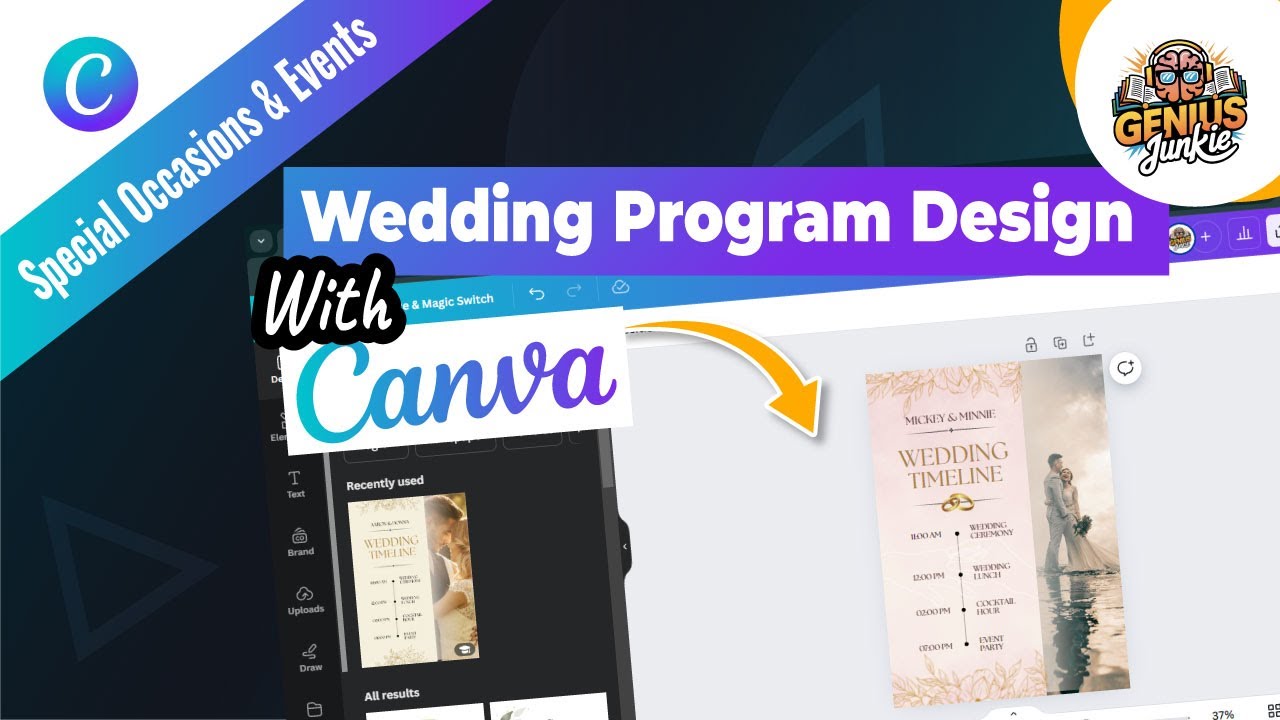
Your Dream Wedding Programs, Made Easy with Canva
Wedding planning is a whirlwind of excitement, decisions, and a never-ending to-do list. Among all the beautiful details, your wedding programs serve as a practical guide for your guests and a lovely keepsake of your special day. But who says creating professional-quality programs has to be expensive or complicated?
At Genius Junkie, we're all about empowering you to create amazing designs without the headache. That's why we're diving into how you can design stunning, elegant, and perfectly personalized wedding programs using everyone's favorite design tool: Canva!
Whether you dream of a classic, modern, rustic, or totally unique vibe, Canva has the tools and templates to bring your vision to life. And the best part? You don't need any design experience to achieve impressive results. In our latest YouTube tutorial, we walk you through every step, but here’s a breakdown of what you can expect to learn and create!
Why Choose Canva for Your Wedding Programs?
Before we jump into the how-to, let's talk about why Canva is your go-to for wedding program design:
- User-Friendly Interface: Canva is incredibly intuitive. Drag-and-drop functionality makes design accessible to everyone.
- Professional Results: With high-quality templates and design elements, your programs will look like they were made by a pro.
- Cost-Effective: Save money on design fees by creating your programs yourself.
- Endless Customization: From fonts and colors to graphics and photos, you have complete control over every detail.
- Variety of Styles: Canva offers a vast library of templates suitable for any wedding theme – classic, modern, minimalist, rustic, elegant, and more.
Step-by-Step: Designing Your Wedding Programs in Canva
Ready to get started? Here’s a quick overview of the steps covered in our video tutorial:
- Choose Your Perfect Template: Head over to Canva and search for "wedding program." You'll be amazed by the selection! Browse through the options and pick a template that resonates with your wedding theme and aesthetic. Remember, this is just a starting point – you can change everything!
- Personalize with Your Details: This is where your program truly comes to life. Add your names, the wedding date, location, and the order of service (processional, readings, vows, recessional, etc.). Don't forget to include your wedding party, a special thank you message to your guests, and any other important information.
- Customize Colors and Fonts: Match your wedding's color palette perfectly. Canva offers a spectrum of colors and fonts. Choose fonts that are legible and reflect your wedding's style – elegant serifs for classic, clean sans-serifs for modern, or playful scripts for a romantic touch.
- Add Visual Elements: Enhance your programs with beautiful illustrations, icons, or even engagement photos. Canva's extensive library of elements makes it easy to find graphics that complement your design without cluttering it.
- Review and Refine: This step is crucial! Proofread everything for typos or errors. Check the layout, ensure all text is aligned, and that images are high-resolution. It’s always a good idea to have a fresh pair of eyes look over it too!
- Download and Print: Once you're thrilled with your design, download it as a "PDF Print" for the best quality. You can then print them at home, at a local print shop, or use Canva's printing services. Consider the paper stock – a heavier, textured cardstock can add a touch of luxury.
Key Takeaways
- Canva makes designing beautiful wedding programs accessible to everyone, regardless of design experience.
- Start with a template that aligns with your wedding style (classic, modern, rustic, etc.).
- Personalize all text, including names, dates, order of service, and thank you notes.
- Customize colors and fonts to match your wedding's aesthetic and ensure readability.
- Enhance your design with appropriate graphics and images.
- Always proofread meticulously before downloading your final "PDF Print" file.
Ready to Design? Watch the Tutorial!
This blog post gives you the roadmap, but seeing it in action makes all the difference! For a complete visual walkthrough and even more tips and tricks, be sure to watch our full YouTube tutorial: Design Stunning Wedding Programs with Canva | Step by Step Tutorial. We'll show you exactly how to navigate Canva, customize elements, and get your programs ready for your big day.
Happy designing, Genius Junkies!