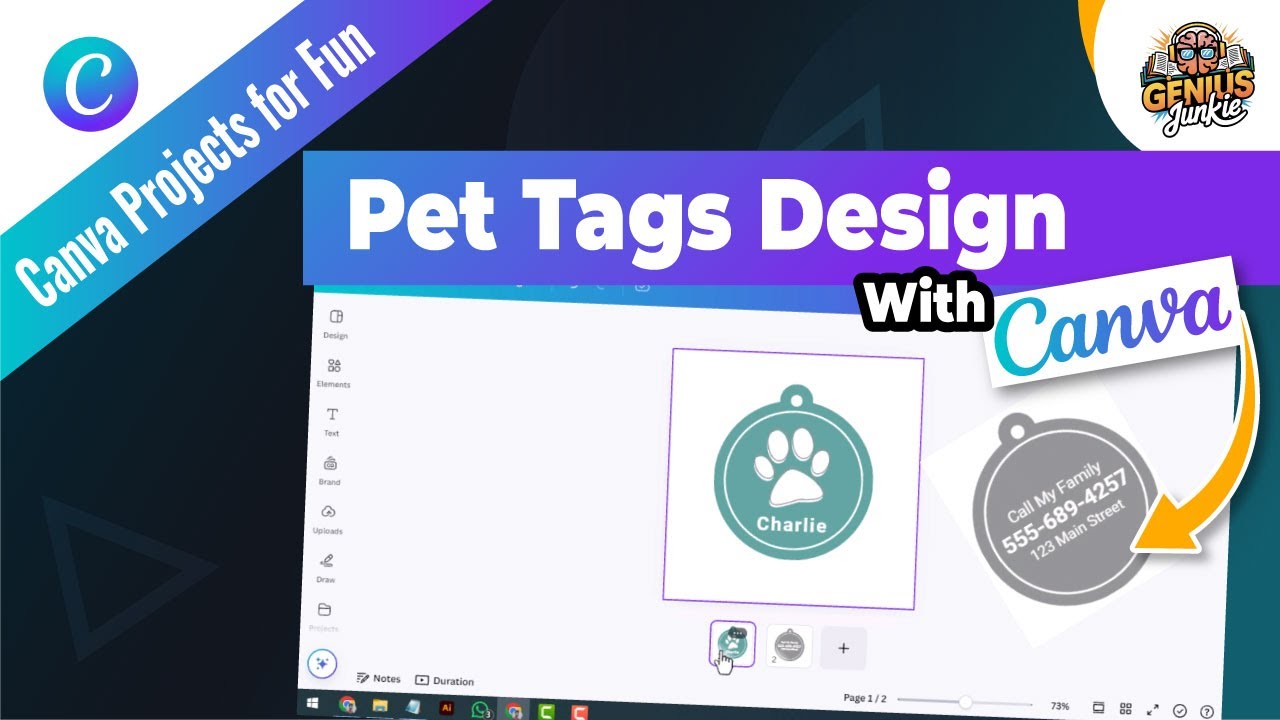
Unleash Your Inner Pet Designer: Custom Tags with Canva!
Hey Genius Junkies! If you're anything like us, your pets aren't just animals; they're family, bringing endless joy, laughter, and sometimes, a little bit of beautiful chaos into our lives. And just like any beloved family member, they deserve the very best – including a stylish, unique, and personalized pet tag!
Forget those boring, generic tags from the pet store. We're talking about creating something truly special that reflects your pet's personality (and yours!). The best part? You don't need to be a design guru or have fancy software. All you need is Canva and our easy step-by-step guide. We've just dropped a fantastic YouTube tutorial, "Create Custom Pet Tags with Canva | Easy Step by Step Tutorial!", and this blog post is your ultimate companion guide.
Why Custom Pet Tags Are a Must-Have
Beyond looking absolutely adorable, custom pet tags offer a blend of style and practicality:
- Personalization: Show off your pet's unique charm with custom colors, fonts, and icons.
- Safety First: Essential contact information ensures your furry friend can find their way home if they ever wander off.
- Durability: Design tags that can withstand adventures, whether it's a romp in the park or a cozy nap.
- Etsy Potential: Love designing? This is a fantastic skill to add to your Etsy shop offerings!
Your Step-by-Step Guide to Canva Pet Tag Magic!
Ready to dive in? Here’s a breakdown of what you'll learn and do, mirroring our video tutorial:
- Set Up Your Canva Canvas:First things first, you'll need a Canva account (the free version works wonders!). We guide you on how to start a new design with the perfect dimensions for a standard pet tag. While there might not be a specific "pet tag" template, we show you how to adapt existing shapes or create a custom size that's just right.
- Template Selection & Inspiration:Canva is bursting with templates! We'll show you how to browse for designs that can be easily adapted for pet tags. Look for circular, rectangular, or even bone-shaped elements that can serve as your base. Don't be afraid to mix and match!
- Customizing with Pet-Friendly Flair:This is where the fun begins! Our tutorial dives deep into:
- Icons & Graphics: Find adorable paw prints, bones, fish, hearts, or even tiny crowns to match your pet's vibe. Canva's vast library has endless options.
- Fonts That Pop: Choose clear, readable fonts for essential information, but don't shy away from playful or elegant fonts for your pet's name.
- Colors & Backgrounds: Experiment with vibrant colors, subtle pastels, or even patterns that complement your pet's fur or collar.
- Adding Essential Information:A pet tag isn't just pretty; it's practical. We guide you on how to clearly add your pet's name, your phone number, and any other crucial details (like "microchipped" or "needs medication"). Ensure readability is paramount!
- Saving & Preparing for Production:Once your masterpiece is complete, we show you the best ways to save your design for printing or manufacturing. Whether you're sending it to a professional printer, an online service, or even using a home cutting machine for vinyl, choosing the right file format is key. This is also where you can start thinking about turning your designs into a profitable Etsy venture!
Pro Tips for Paw-some Pet Tags
- Keep it Concise: While you might want to add a lot, prioritize essential information to avoid clutter.
- Test Readability: Print a small test version to ensure all text is clear and legible, especially from a distance.
- Consider Durability: If you're having tags made, think about materials that will withstand your pet's adventures.
- Batch Design: Once you've got the hang of it, create multiple designs for different moods or seasons!
Key Takeaways
- Canva makes designing personalized pet tags accessible to everyone.
- Start with a suitable template or custom dimensions.
- Utilize Canva's extensive library of icons, fonts, and colors for unique designs.
- Prioritize clear, readable contact information for your pet's safety.
- Properly save your design for high-quality printing or production.
- Custom pet tag design can be a fun personal project or a potential Etsy business!
Ready to Create?
Now that you've got the lowdown, it's time to get designing! Head over to our YouTube channel and watch the full tutorial: "Create Custom Pet Tags with Canva | Easy Step by Step Tutorial!" (Don't forget to like, subscribe, and hit that notification bell for more Genius Junkie tutorials!).
Show us your creations! Tag us on social media with your amazing custom pet tags. Happy designing, Genius Junkies!