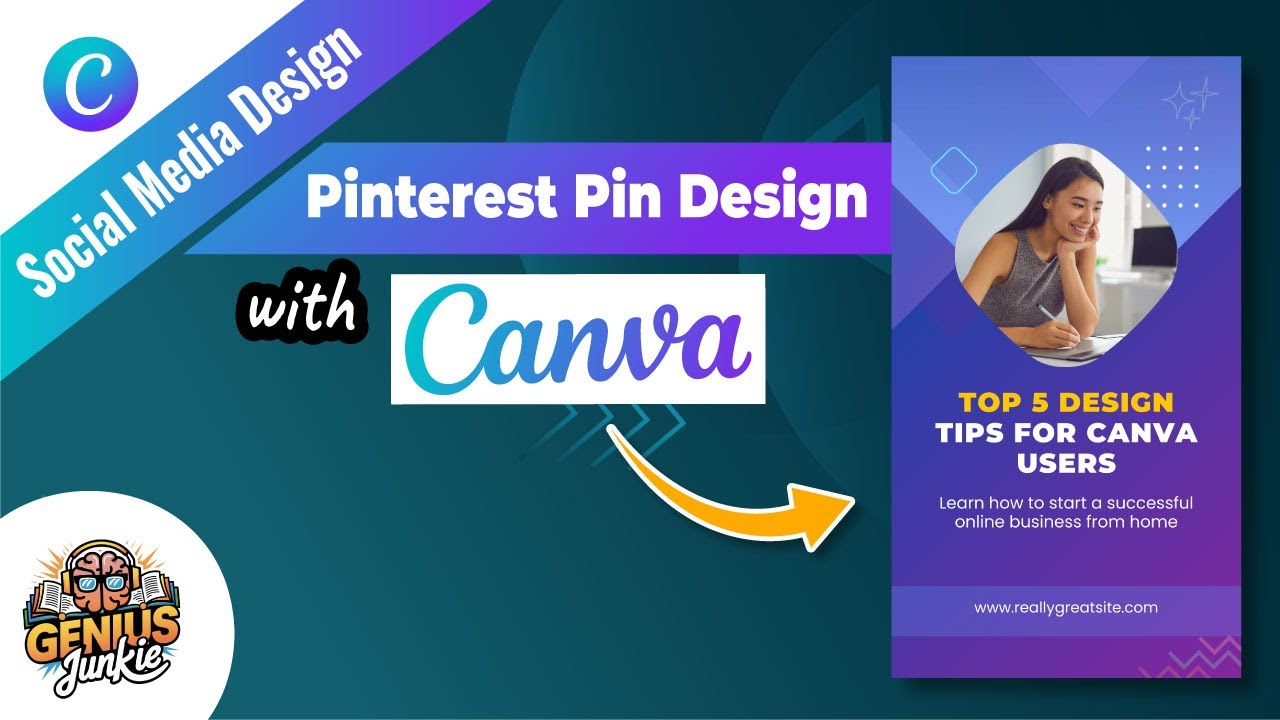
Design Pinterest Pins in Canva: Create Engagement Effortlessly!
Hey Genius Junkies! Are you ready to supercharge your Pinterest strategy and turn those casual scrollers into engaged followers or even customers? Pinterest is a visual powerhouse, and the key to unlocking its potential lies in designing pins that truly stand out. If you've ever wondered how to create eye-catching pins without being a design guru, you're in the right place!
Our latest YouTube tutorial, "Pinterest Pin Design in Canva Create Engaging Pins Easily," walks you through the entire process. But for those who love to read along or need a quick reference, this blog post is your perfect companion. Let's dive into how you can design beautiful and engaging Pinterest pins using Canva, making your content impossible to ignore.
Why Your Pinterest Pins Need to Shine
Think of Pinterest as a visual search engine. Unlike fleeting social media posts, pins have a long shelf life, continually driving traffic back to your website, blog, or shop. But with millions of pins vying for attention, yours need to be more than just pretty – they need to be engaging. A well-designed pin can:
- Grab Attention: Stop the scroll with captivating visuals.
- Communicate Value: Quickly convey what your content offers.
- Drive Traffic: Entice users to click through to your link.
- Build Brand Recognition: Reinforce your brand's aesthetic and message.
Getting Started: Your Pinterest Pin Design Toolkit
Before you even open Canva, a little planning goes a long way. Consider these essentials:
- Your Brand Identity: What are your brand colors, fonts, and overall style? Consistency is crucial for recognition.
- Keywords & Topic: What is your pin about? What keywords will people search for to find it? Incorporate these into your pin's text.
- Target Audience: Who are you trying to reach? Design with their preferences and needs in mind.
- High-Quality Visuals: Have a great photo or graphic ready that relates to your content.
Designing Engaging Pins in Canva: A Step-by-Step Guide
Canva makes professional design accessible to everyone. Here’s how to create stunning pins, inspired by the steps in our tutorial:
- Choose Your Canvas:
- In Canva, search for "Pinterest Pin." You'll find templates pre-sized for optimal Pinterest viewing (usually 1000 x 1500 px or a 2:3 aspect ratio).
- You can start with a blank canvas or browse Canva's extensive library of templates for inspiration. Templates are a fantastic starting point for beginners!
- Visuals That Grab Attention:
- Upload your own high-quality photos or choose from Canva's stock photo library.
- Use relevant icons, illustrations, or graphic elements to enhance your message. Ensure they complement your main image and don't clutter the design.
- Crafting Compelling Text:
- Your pin title should be clear, concise, and captivating. Use a strong headline that promises value.
- Choose 1-2 readable fonts that align with your brand. Make sure the text is large enough to be legible on a small mobile screen.
- Use contrast effectively: dark text on a light background or vice-versa.
- Add a clear, action-oriented call to action (e.g., "Learn More," "Get the Recipe," "Shop Now").
- Brand Consistency is Key:
- Incorporate your brand colors. If you have Canva Pro, set up your Brand Kit for easy access.
- Add your website URL or logo subtly at the bottom of the pin. This helps with brand recognition and drives direct traffic.
- Download & Optimize:
- Download your pin as a JPG or PNG file for the best quality.
- When uploading to Pinterest, write a keyword-rich pin title and description to boost discoverability.
Pro Tips for Pinterest Pin Success
- Go Vertical: Always use a vertical aspect ratio (like 2:3). Vertical pins take up more space in the feed and perform better.
- Keep Text Readable: Avoid busy backgrounds behind your text. Use overlays or solid color blocks to ensure your message pops.
- Strong Call to Action: Don't make people guess what to do next. Tell them!
- High-Quality Images: Blurry or pixelated images are a big no-no.
- Test and Tweak: Create multiple pin designs for the same piece of content to see what resonates best with your audience.
Key Takeaways
- Pinterest is a long-term traffic driver, making pin design crucial.
- Plan your pin's content, keywords, and brand elements before designing.
- Use Canva's templates or a 2:3 aspect ratio for optimal pin sizing.
- Focus on clear, readable text and captivating visuals.
- Always include your brand elements and a strong call to action.
- Experiment with different designs to find what works best for your audience.
Ready to put these tips into action? Watch our full tutorial on YouTube for a step-by-step visual guide! You'll see exactly how easy it is to create engaging pins that truly stand out on Pinterest. Don't forget to LIKE the video, SUBSCRIBE to Genius Junkie for more career and networking tips, and COMMENT below with your favorite Canva design hacks!